08 May 2011
A turn towards monogamy
14 April 2011
A romance turned orgy
Fujifilm FinePix
10x zoom
1080i video
GPS
Three-inch LCD
Verdict (http://www.trustedreviews.com)
The Sony Cyber-shot DSC-HX5 once again demonstrates that when it comes to technical excellence Sony should never be underestimated. The camera is well made, handles and performs extremely well, and is capable of producing very good results under a wide range of circumstances. It is a technological tour-de-force loaded with more features than anything else on the market.
12x zoom
720p video stereo
GPS
Poor battery
Verdict (http://www.trustedreviews.com)
The Panasonic Lumic DMC-TZ10 is a well-designed, solidly built and extremely versatile camera with a lot of useful features. The 12x zoom, optical image stabilisation, HD video and excellent low light performance are the main benefits, and manual exposure is a nice bonus. The GPS feature is a bit of a gimmick, and drains the battery too fast to be much real use.
Casio EXILIM Hi-Zoom EX-H20G – 2228DKK (298.72 Euro)
10x zoom
720p no zoom during recording mini-HDMI
Hybrid GPS
Three-inch LCD
Good battery life
Canon PowerShot SX230 HS – 2178DKK (292.01 Euro)
14x zoom
1080p video
GPS
Three-inch LCD
Verdict (http://reviews.cnet.com)
The good: The Canon PowerShot SX230 HS has good low-light photo quality for its class; excellent color; shooting options that encourage experimentation; and great-looking video quality.
15x zoom
720p video with stereo
GPS
Three-inch AMOLED
Poor Image Quality
Verdict (http://www.trustedreviews.com)
In many ways the Samsung WB650 is a better camera than the Panasonic TZ10. It has a better zoom range, a more accurate GPS system, a sharper monitor and crucially longer battery life. Build quality, design and handling are all excellent, but it can't quite match its rival on low ISO image quality.
13 April 2011
I have fallen in love…
07 April 2011
Is the Amazon Appstore driving people to piracy?
05 April 2011
Follow my adventure
09 February 2011
17 November 2010
27 September 2010
02 September 2010
04 June 2010
Share your whereabouts with Foursquare, Cotchin! and the N900

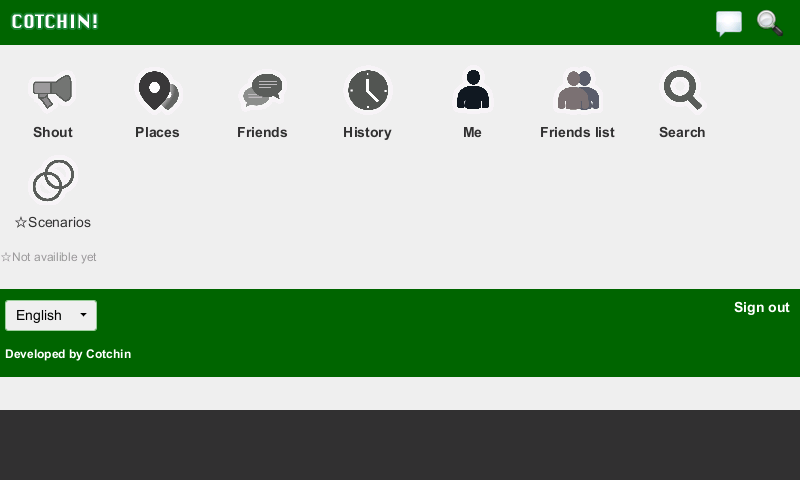
I've had some problems with Barriosquare where I've not been able to get a GPS fix which made the app more or less useless. Therefore I've for a while been using the FourSquare mobile website, but that has not been a very good solution since it is not very well optimized for touch and the N900. Then the other day I found Cotchin! which is a web based FourSquare client that works brilliant for the N900 because it's fast and very finger friendly. The only complaint I have about Cotchin! is that it's ugly the colour and the icons some work, but apart from that I really like it. If you want to try Cotchin! go to Cotchin! mobile website.


Get fit with eCoach and HeiaHeia.com
I have not been posting for a very long time but I've been very busy with my studies. I'm planning to start running again this summer and today I went for my first run. When I used my N82 I was using Nokia Sports Tracker to record and share my workouts but since the N900 is not supported by Nokia Sports Tracker I had to find another way to do that.
The solution was eCoach and HeiaHeia.com. eCoach works, like the Nokia Sports Tracker app for Symbian, by recording your workout using the GPS. While you are recording you can see you progress on a map or data showing your speed, time and the distance.
After you finish the workout you can view a graph showing speed vs time and altitude vs time. eCoach also have support for using a heart monitor (FRWD B600 and Zephyr HxM) but unfortunately I do not have such one. The latest version of eCoach supports upload to HeiaHeia.com. HeiaHeia.com got its name from the Norwegian Heia! Heia! chant for their cross-country skiers and other athletes, and it is a service that combines training diaries and social networking. The reason why I like HeiaHeia.com is that I can share my workouts via Twitter or the HeiaHeia app on Facebook.
Although I like to be able to record and share my workouts with eCoach and HeiaHeia.com, I still find that some features missing. When I upload my workout to HeiaHeia.com it does not contain any of the GPS information that eCoach gathered, I would love to be able to show of the route of the workout online. Also I do not seem to be able to share my workout to my wall on Facebook only to the HeiaHeia Facebook app and I can't seem to figure out how to change the language of the HeiaHeia Facebook app from Finnish.All in all eCoach and HeiaHeia.com is enough for my basic needs, but I do hope that we'll see some development especially on the HeiaHeia.com side so that this will be able to compete with Nokia Sports Tracker.
I have for years now been using iTunes on my PC because in my opinion it's the best music-player for PC. But because iTunes is an Apple product it does not work with any other device then the iPhone and iPod and that is very annoying. So what do you do when you want to sync you Nokia N900 with iTunes, well you could do like me and use Salling Media Sync. With Salling Media Sync you can sync music, podcasts and photos. When syncing music you can choose to sync all you music or just specific playlists. Salling Media Sync is free in the unregistered version, the only drawback when using that version is that whenever you want to sync you music to the N900 Salling Media Sync will delete all the music and re-transfer it making sync time longer then when using the registered version where Salling Media Sync only transfer the new music to the N900.

09 March 2010
Sync the Nokia N900 with iTunes using Salling Media Sync
I have for years now been using iTunes on my PC because in my opinion it's the best music-player for PC. But because iTunes is an Apple product it does not work with any other device then the iPhone and iPod and that is very annoying. So what do you do when you want to sync you Nokia N900 with iTunes, well you could do like me and use Salling Media Sync. With Salling Media Sync you can sync music, podcasts and photos. When syncing music you can choose to sync all you music or just specific playlists. Salling Media Sync is free in the unregistered version, the only drawback when using that version is that whenever you want to sync you music to the N900 Salling Media Sync will delete all the music and re-transfer it making sync time longer then when using the registered version where Salling Media Sync only transfer the new music to the N900.So far I've really enjoyed using Salling Media Sync especially because it makes it possible to continue to use iTunes on my PC when using the N900 as my portable music device. But even if you are a Mac user don't worry there's also a version of Salling Media Sync for you.


02 March 2010
Now using Barriosquare for Foursquare on the Nokia N900
Woohoo... I've been waiting for this day since I started using Foursquare and now it has come. I am now testing Barriosquare for my Nokia N900 and I like it... It's obviously not a finished build since it's not even in Maemo extras-devel yet, but that doesn't mean that it's not very usable and usefull.
To install Barriosquare I first had to get permitted into this group to be able to get the .deb-file after that I had to manually install the dependencies through X terminal with "apt-get install", luckily there's a great guide on how to install in the group.
When I first opened Barriosquare I had to login and then it worked. I could from the options menu choose how Barriosquare should acquire my position, I could see my position on Google Maps, see my badges, see the nearby venues, I could add a venue and I could search for a venue.
I was unfortunately not able to show my friends' recent checkin list, and my checkin history but I think that could have something to do with the Foursquare servers as I often get error screen when I use the browser version!?